
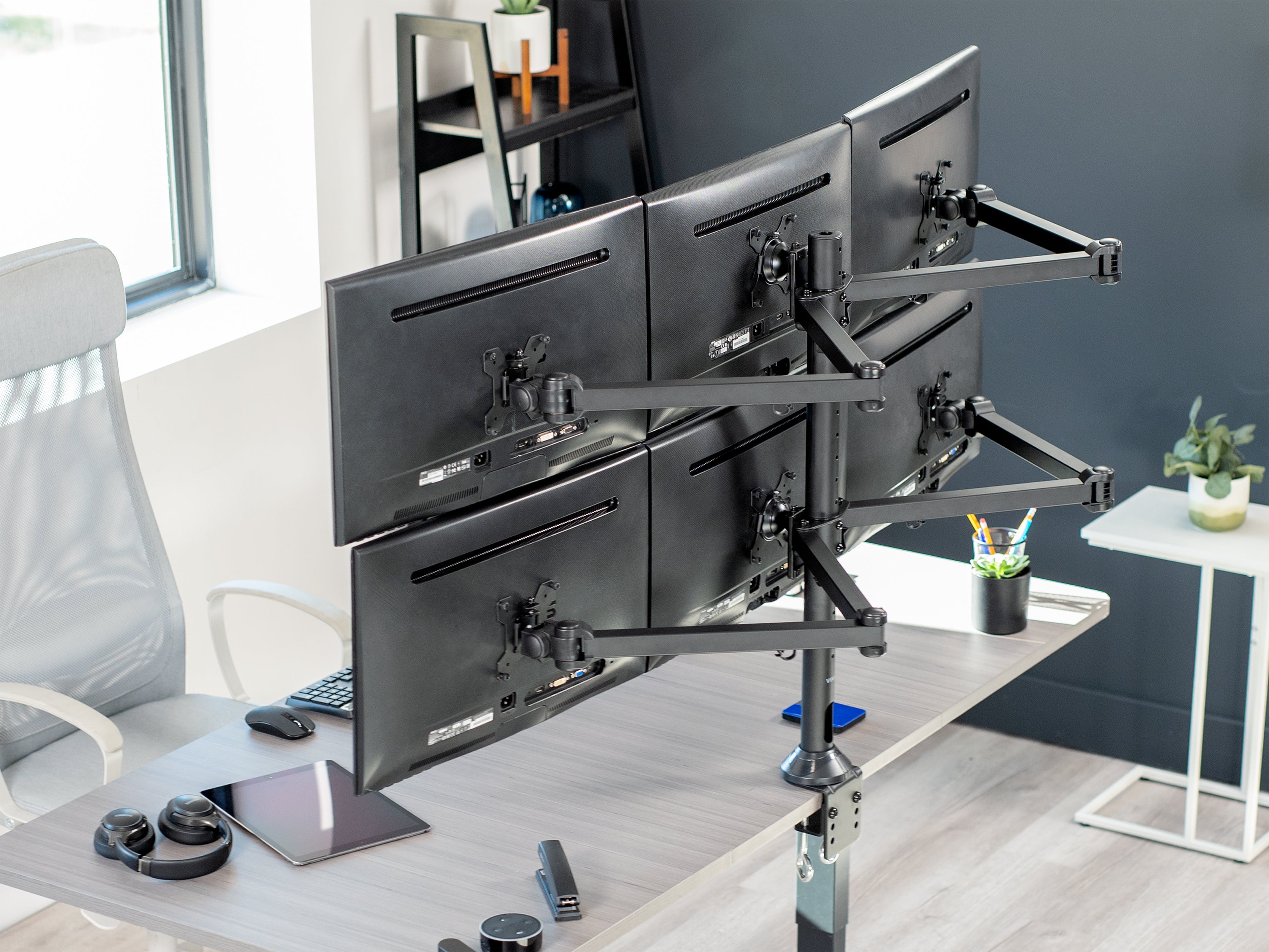
With so many options for monitor stands out there and seeing tech influencers rocking dual, triple, even six monitor setups, it can be easy to get lost in the question: How many monitors do you actually need? In this post, we hope to answer that question.
1 to 2 Monitor Range

Most of the time, you’re only going to need one or two monitors; but which of these two options are better? Lucky for you, the studies have been done and the results are in. For normal office tasks, dual monitor setups have a huge leg up on single monitor setups in almost every regard: productivity, user satisfaction, and overall efficiency. You can read more about that in this blog post. If your budget allows for a second monitor, you should go for it.
In what circumstances would a single monitor be a smarter choice? If your setup is meant to serve a uni-purpose function, then dual monitors might be unnecessary. Examples of this include a terminal for clocking in and out, a workstation meant for training purposes, or a home desktop where you only browse the web.

A single monitor setup could also be the simpler option if you plug your laptop into your monitors instead of using a stationary PC tower setup. If you’re constantly switching between on-the-go and desk work, all on the same portable device, repeatedly adjusting to the switch between dual and single screens can sometimes be more hassle than it's worth.
If you’re not using your desktop for anything more complicated than your standard office tasks, using a dual monitor setup will be your best bet. But what types of desk setups can utilize more monitors? Read on to find out!
3 to 4 Monitor Range

For the most part, triple or quad monitor setups are used in occupations where having a multitude of windows open or just a lot of screen real estate in general is helpful or even necessary. These types of occupations include real-time data analysts, intense spreadsheet workers, in-depth researchers, and creatives of all kinds. If you’re constantly switching between windows, comparing data sets, or using a highly modular software, upgrading to a higher count monitor setup could be the way to go.
There are a few reports online about triple monitor setups increasing general productivity even outside of such occupations, but that will mostly depend on each individual's ability to efficiently utilize the additional screen space. The majority of people are likely to run into that pesky law of diminishing returns and would be better off with a dual monitor setup.
6 or More Monitors

What about those monster setups we’ve all seen pictures of, with a great big wall of screens made up of 6, 8, or even upwards of a dozen monitors? Most of the time, these setups aren’t used for your standard task-oriented workstations. They’re used for keeping track of and referencing varying sets of data, things like stock prices, server information, or real-time feed from security cameras.
Sometimes, hardcore video editors or audio engineers are able to utilize a wall of screens efficiently, but usually, these setups are overkill, and you’re going to be better served with a lower screen count.
Summary
For most setups, dual monitors will be the way to go. Single monitor setups are good for layouts with a single purpose, triple and quad monitor setups are great for anyone who needs extra screen space, and anything more than that is for monitoring a lot of information in real time or just showing off.
Once you’ve decided how many screens you’ll be using, there are still options to consider and plenty of things to keep in mind when you’re purchasing a monitor stand. Luckily, we have an in-depth guide for you that covers everything from monitor compatibility to types of articulation.


Share:
Workspace Solutions for Small Spaces
Electric Standing Desk vs. Standing Desk Riser - Which One is Right for You?