
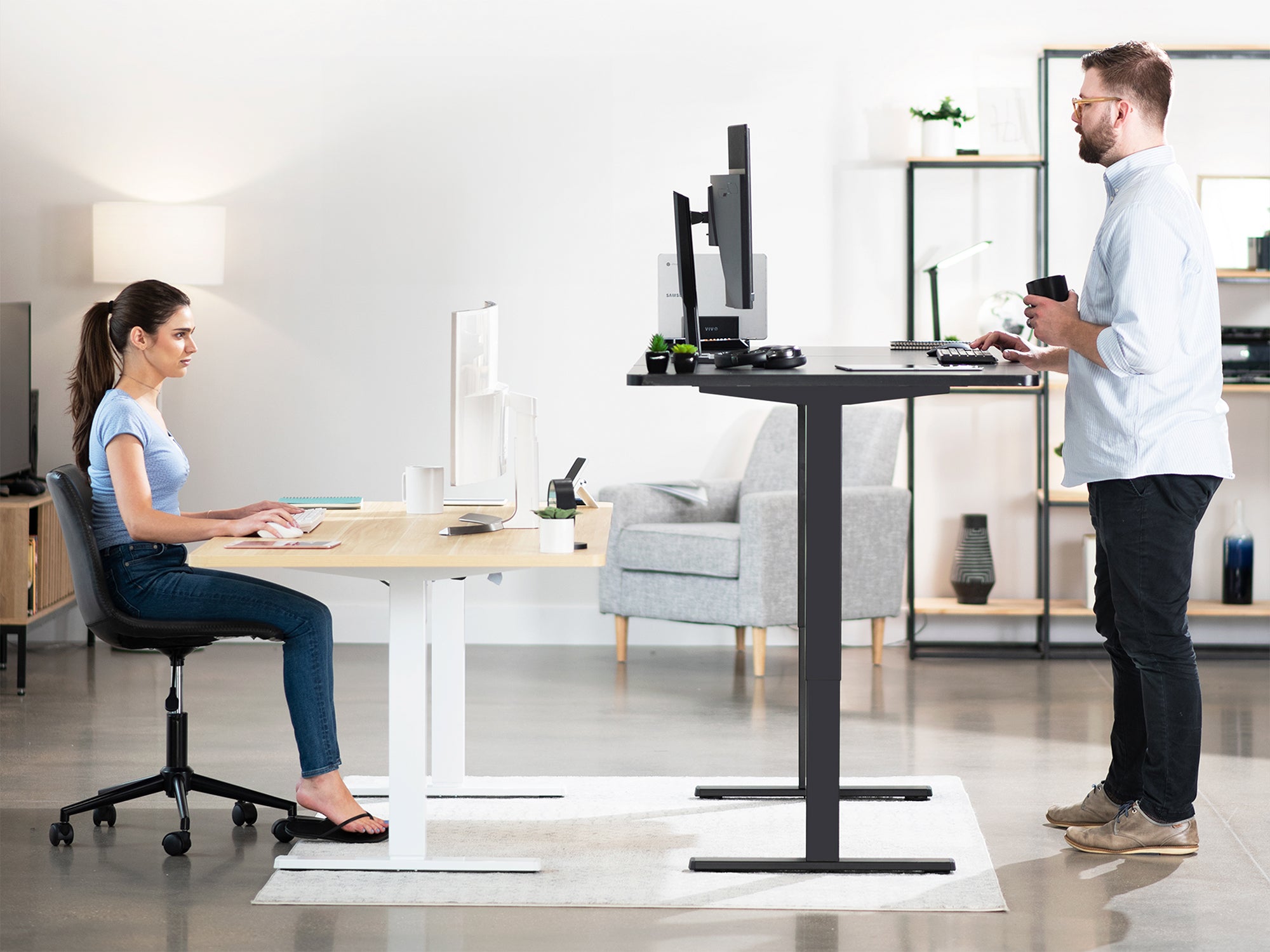
Whether you are starting a new job or reorganizing your home workspace, it is important to set up your office equipment to suit your individual needs. Making sure your workspace is as comfortable and productive as it can be will help improve your efficiency and workflow. Creating an environment that is ergonomically sound will help you achieve all of these things.
We've created a list of simple steps to help you improve the ergonomics of your workspace. If you're ready to get more productive and efficient, keep reading!
- Be sure to push yourself back in your chair as far as you can go. Your feet should still be flat on the floor, so adjust the height of the chair to accommodate that as well. If there is no way for your feet to touch the floor while sitting all the way back in your chair, you can get a footrest to help achieve a better sitting position. Utilize the armrests so that your shoulders are relaxed.
- Pull your keyboard and mouse close to the edge of the desk. Overreaching can cause a strain on your arms and wrists, so you want to be sure to keep your work close to you. Adding a keyboard mount under your desk is ideal. This will ensure that you are not overreaching and you can fully relax while working.
- Place your monitor directly in front of you. You want the top of the monitor to be at eye level--reducing neck and eye strain. You also want to be sure that the monitor is about an arm's length away from your face.
- Clear your desk of overall clutter. As time goes on, people tend to acquire more and more stuff that ends up laying on their desk. A good rule of thumb is to only keep things on your desk that are absolutely necessary. Clear our the coffee mugs, the useless papers, and unnecessary cords. This will ensure that you can maximize your desk space and have ample room to arrange your desk as you need.
- After working for long periods of time, your body can get restless, and you might even be feeling some slight cramping in your arms, shoulders and/or wrists. You want to make sure that you take a break at least every hour. Get up and walk around; maybe stretch a little. This not only gives you a physical break, but it gives you a mental break as well.
These, of course, are not the only steps you can take to create the perfect ergonomic workstation. You can purchase many products that will drastically improve the comfort and efficiency of your workspace, but you can also use these simple hacks until then. If you want to stay up-to-date with our blog and latest product offerings, be sure to follow us on our social media pages.

Share:
Easy Explanation of Ergonomics
Are You Buying the Right Monitor Stand?