
The Science of Eye Level: How Dual Monitor Mounts Save Your Neck and Your Workflow
You probably started your day with a focused plan and a second monitor meant to make everything easier, but by 3:00 PM, that familiar tightness is creeping into your shoulders and the base of your neck. It is a common irony of the modern office where adding more screen real estate to boost our output often leads to physical discomfort that eventually slows us down. The problem isn't the extra screen; it is where those screens are sitting. Most monitors come with static, factory-standard stands that force you to adapt your body to the technology rather than making the technology adapt to you. This misalignment is the primary driver of "tech neck," a condition where the muscles in your neck and upper back are under constant, low-grade stress. By understanding the science of eye level and utilizing a dedicated mounting solution, you can transform your desk from a source of strain into a true productivity powerhouse.
The Hidden Cost of the "Neck Tilt"
When your monitors are positioned too low, your head naturally tilts forward to compensate. While a few degrees of tilt might seem harmless, the physics of the human head tells a different story. The average adult head weighs about 10 to 12 pounds, but as it tilts forward, the effective weight placed on the cervical spine increases dramatically. At a 45-degree angle, your neck is supporting the equivalent of nearly 50 pounds of pressure. Over an eight-hour workday, this constant strain causes the muscles in your upper trapezius and neck to fatigue, leading to chronic pain and tension headaches. A dual monitor mount solves this by allowing you to lift both screens to a height where your head stays perfectly balanced over your shoulders. This "neutral posture" is the holy grail of ergonomics, ensuring that your muscles aren't working overtime just to keep your eyes on the screen.
Why Eye Level is the Standard for Focus
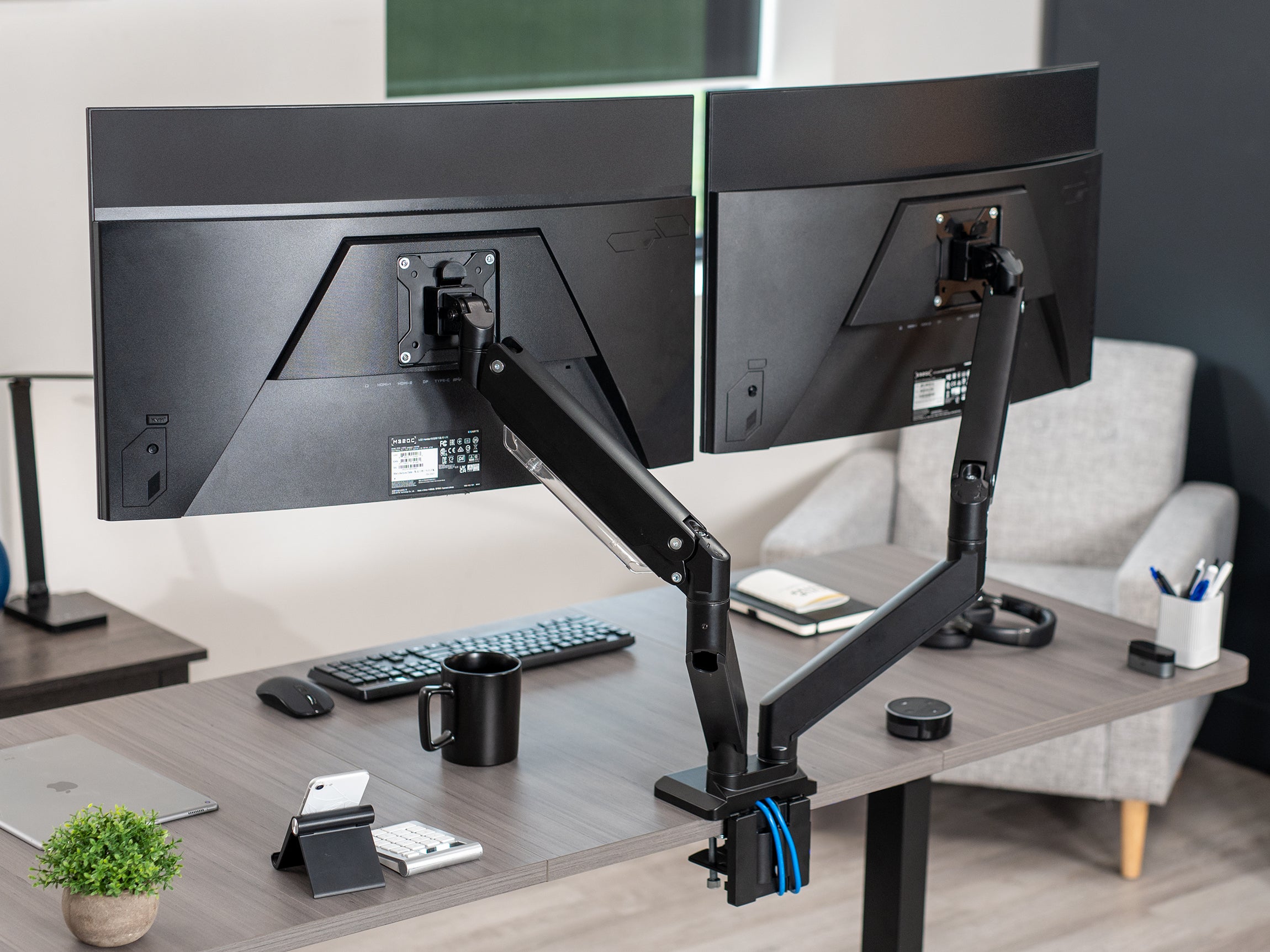
The "eye level" rule exists because your eyes and neck are biologically designed to work together in a very specific way. Ideally, the top third of your monitor should be at or slightly below your horizontal eye line. This allows you to scan the entire screen with a slight downward gaze, which is the most natural and restful position for the human eye. When screens are misaligned, you aren't just moving your eyes; you are constantly micro-adjusting your neck and chin to find the right viewing angle. This creates a "flicker" of physical distraction that breaks your cognitive flow. By using a mount like the VIVO Pneumatic Arm Dual Ultrawide Monitor Desk Mount (STAND-V102G2), you can dial in this height with surgical precision. The pneumatic spring system allows for instant, finger-touch adjustments, so you can maintain that perfect eye-level alignment even if you shift your sitting position throughout the day.
The Productivity Power of the Double-Screen Layout
The science of productivity heavily favors a dual-monitor setup, with studies suggesting it can boost efficiency by up to 42 percent. The logic is simple: more visual space means less "alt-tabbing" and context switching. When you can keep your primary task on one screen and your reference materials, emails, or communication tools on the second, your brain stays in a deep-work state for longer periods. However, this productivity gain is only sustainable if you can actually see both screens comfortably. Without a mount, many users find themselves twisting their necks to look at a secondary monitor that is angled poorly or sitting at a different height. This repetitive twisting is a leading cause of asymmetric neck pain. An articulating mount, like the VIVO Dual Monitor Desk Mount Adjustable Stand (STAND-V002), ensures that both monitors can be angled inward to create a "cockpit" feel, keeping all your data within your natural field of vision without requiring you to move your head.
Achieving Seamless Symmetry with Adjustable VESA Plates
One of the most frustrating aspects of a DIY dual-monitor setup is the "staircase effect," where two different monitor models or even the same model on uneven surfaces don't line up perfectly. This slight visual break might seem like a cosmetic issue, but it forces your brain to recalibrate every time your eyes move across the gap. This leads to increased eye fatigue and mental drain. VIVO products, such as the STAND-V002 Series, address this with detachable VESA plates that offer micro-adjustments. You can move each monitor up or down by half an inch independently, ensuring that the horizons of your screens are perfectly flush. This creates a single, continuous digital canvas that makes your workflow feel fluid rather than fragmented.
Reclaiming Your Desk Real Estate
Ergonomics isn't just about how high your monitors are; it is also about the space you have to work. Standard monitor bases are often bulky, taking up the most valuable "prime real estate" directly in front of you. This clutter forces you to place your keyboard and mouse in awkward positions, which can lead to wrist strain and further postural issues. By switching to a desk-mounted arm, you "float" your monitors above the desk surface, opening up significant room for notebooks, tablets, or a more centered keyboard placement. This clean workspace reduces visual noise and allows for better focus. For those with particularly heavy or ultrawide screens, the VIVO Pneumatic Arm Dual Ultrawide Extra Tall Desk Mount (STAND-V120K) provides a heavy-duty, sleek solution that keeps your desk looking professional while providing the robust support needed for large-scale displays.
The Long-Term Health Investment
Think of a dual monitor mount not as a desk accessory, but as an investment in your long-term physical health. The musculoskeletal issues caused by poor workstation setup, like chronic neck stiffness or "mouse shoulder,” often take years to develop but even longer to correct. By prioritizing screen alignment today, you are preventing the degenerative effects of poor posture. Using a high-quality mount allows you to easily switch between sitting and standing, or simply tilt your screens to avoid afternoon glare, which further reduces eye strain. The flexibility provided by VIVO's telescoping arms with STAND-TS38C means your setup can evolve with your needs, ensuring that whether you are coding, designing, or managing data, your workspace is always working for you, not against you.
VIVO Product Highlights for the Perfect Setup
-
For Instant Adjustability: The VIVO Mechanical Arm Dual Monitor Desk Mount (STAND-V002K) is the gold standard for those who want to change their screen height on the fly with minimal effort.
-
For Large-Scale Power Users: If you are rocking 34-inch ultrawides, the Mechanical Arm Dual Ultrawide Monitor Desk Mount (STAND-V102BB) offers the heavy-duty strength and sleek aesthetic your high-end rig deserves.
-
For the Multi-Tasking Specialist: The Dual Monitor + Single Laptop Desk Mount (STAND-V013L) is perfect for users who want to integrate their laptop as a third screen while keeping everything at an ergonomic eye level.
Are you ready to stop the afternoon neck ache and finally see what your workflow is capable of? Perfecting your screen alignment is the fastest way to turn your desk into a pain-free productivity hub

Share:
Beyond Sitting Straight: Why Your Ergonomic Setup is Your Best Health Investment
The Memorial Day Reset: Transitioning Your Desk for a Productive Summer